Security camera pricing in Dallas–Fort Worth comes down to three questions: how many cameras do you actually need to cover the property, what resolution and features matter for your use case, and how do you want to store and access the footage. Two properties of similar size can land on very different quotes depending on how those three answers shake out.
This guide walks through how camera systems are actually built, what drives coverage and cost decisions, storage and viewing options, and how to plan a system that fits your property instead of a generic package. Trying to decide between wired and wireless cameras? See our wired vs. wireless comparison, or troubleshoot an existing system in our camera maintenance guide. By the end you’ll be able to have an informed conversation with any installer — including us.
On this page: How camera systems are built · Cost by system size · Planning coverage · Storage & viewing options · DFW & Allen specifics · Residential vs. commercial · Common mistakes · Installation process · Maintenance & lifespan · Choosing an installer · Glossary · FAQ
How a Security Camera System Is Actually Built
Quick answer: A camera system is four parts working together: the cameras themselves, the recorder (NVR/DVR or cloud storage), the network/wiring connecting them, and the viewing software or app. Cost scales with camera count first, then resolution, features and how footage is stored.
1. The Cameras
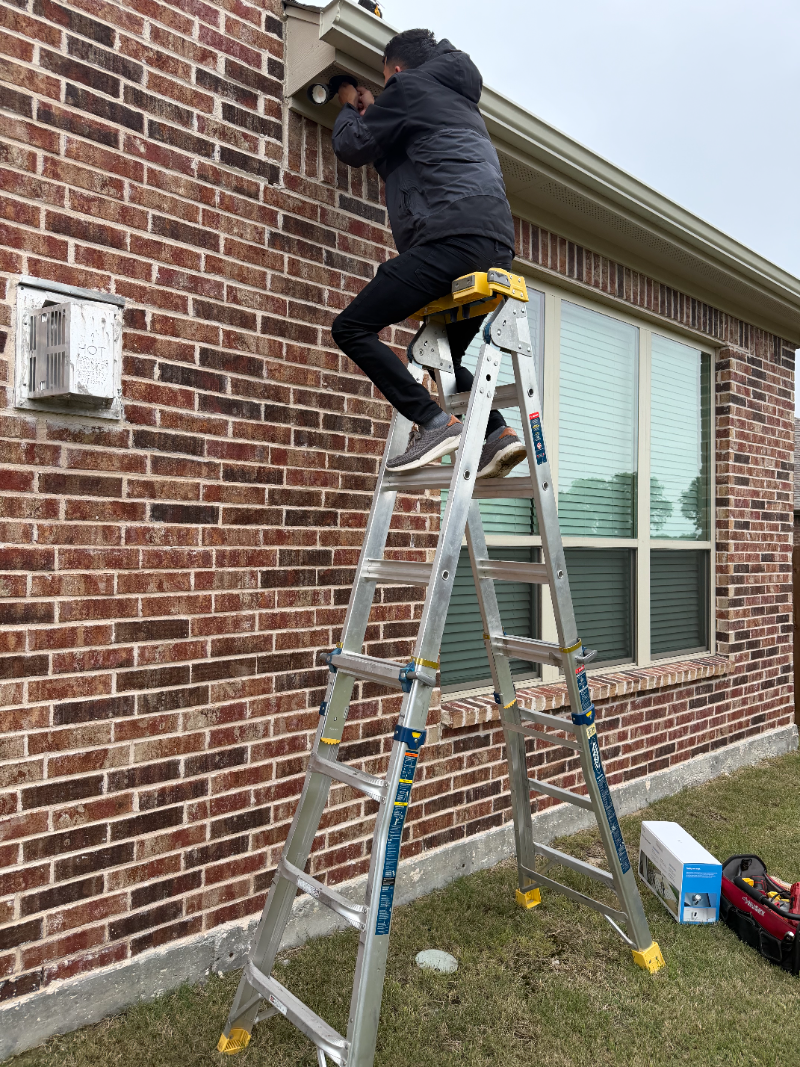
Cameras vary by resolution (HD through 4K), form factor (dome, bullet, turret, pan-tilt-zoom), and features like night vision, color night vision, and person/vehicle/motion detection. The photo above shows a turret-style dome camera mounted under a roof eave — a common placement for full driveway and yard coverage on a home.
2. The Recorder or Cloud Storage
Footage has to be stored somewhere. An NVR (network video recorder) stores footage locally on-site, which avoids ongoing fees but means the recorder itself needs to be protected and backed up. Cloud-based systems store footage off-site and typically carry a monthly subscription in exchange for easier remote access and protection if the on-site hardware is stolen or damaged.
3. The Network and Wiring
Most professional camera systems run on PoE (Power over Ethernet) cabling, which carries both power and video/data over a single cable back to a network switch and recorder — similar to the structured wiring behind an access control system. Running that cabling is where labor cost concentrates on larger jobs, especially through finished walls, brick, or across long distances to a detached garage or shop.
4. Viewing Software and Apps
This is how you actually watch your cameras — live and recorded — from a phone, computer, or a dedicated monitor. We install and support systems built on UNV (Uniview) and UniFi Protect platforms, as well as Alarm.com video integration for properties that want cameras and alarm monitoring in one app.
Security Camera Cost by System Size
Quick answer: As a general starting point, cameras run from about $120 per camera installed. A small residential system (4–6 cameras) often lands in the low-to-mid thousands installed; larger commercial systems scale from there based on camera count, resolution and cabling distance.
| System Size | Estimated Cost Range | Best For |
|---|---|---|
| Small residential (4–6 cameras) | From about $120/camera installed | Entry points, driveway, backyard coverage |
| Larger residential (8+ cameras) | Scales with camera count and cable runs | Larger lots, detached garages, full perimeter coverage |
| Small commercial (6–12 cameras) | Low-to-mid thousands | Offices, retail storefronts, small warehouses |
| Larger commercial / multi-building | Scales with site size and network infrastructure | Warehouses, multi-tenant properties, HOAs |
| Cloud storage subscription | Modest monthly fee, added to hardware cost | Properties wanting off-site backup and remote access |
Figures are general starting ranges for planning purposes only, not a quote — we walk every property before quoting.
Planning Camera Coverage the Right Way
Quick answer: Good coverage planning starts with priority points — every entry door, the driveway, and any area with valuables or inventory — then fills gaps for full perimeter coverage. More cameras isn’t automatically better; overlapping too many cameras on one low-risk area while leaving an entry point uncovered is a common planning mistake.
The right number of cameras depends on sightlines, not a fixed formula. A single well-placed camera at a corner of a home can often cover both the driveway and a side entry, while a property with multiple structures (a house plus a detached garage or shop) needs separate coverage for each. We map camera placement to your property’s actual layout during the site walk rather than quoting a generic package.
Local NVR vs. Cloud Storage
Local NVR storage keeps footage on-site with no ongoing subscription, which many property owners prefer for cost. The tradeoff is that if the recorder itself is stolen, damaged, or loses power for an extended period, that footage can be lost.
Cloud storage backs footage up off-site automatically and usually makes remote viewing simpler, at the cost of a monthly fee. Many commercial systems use a hybrid approach — local NVR storage for full-resolution footage, with key events also backed up to the cloud.
Security Cameras Across Dallas, Fort Worth and Allen
Camera coverage priorities shift by property type across the region. Single-family homes throughout Allen, Plano, Frisco and McKinney typically prioritize entry points, the driveway and the backyard. Retail storefronts along major DFW corridors usually need interior point-of-sale coverage plus exterior entry and parking-lot cameras. Warehouses and flex/industrial space near the region’s logistics corridors often need broader perimeter and loading-dock coverage integrated with the same access control credentials used on the building’s doors. We’re based out of Allen, so North Texas camera installs don’t mean a long wait for a site walk.
Residential vs. Commercial Camera Systems
Homeowners most often want a compact system covering entry points, the driveway and the backyard, viewable from a phone app, sometimes paired with a wall-mounted monitor.
Commercial and multi-tenant properties typically need broader coverage of parking areas, common entries and loading areas, plus a networked recording setup that can scale as the business grows, and is often integrated with access control so you can see who used a credential at the moment a door opened.
Privacy and Placement Considerations
${QA('Cameras should point at your own property \u2014 entry points, your driveway, your yard \u2014 not directly into a neighbor\u2019s windows or private space. Texas doesn\u2019t prohibit exterior home security cameras, but pointing a camera intentionally into a neighbor\u2019s private area can create a legitimate privacy dispute regardless of the legal technicalities.')}A good installer plans camera angles around what you actually need to see, which almost always means your own entry points, driveway and yard rather than a neighbor's property. This isn't just good etiquette — it also produces better footage, since a camera angled to avoid a neighbor's window is usually also better angled to capture your own approach and entry points cleanly.
Signs Your Current Camera System Needs an Upgrade
- ${TICK}Footage is too low-resolution to identify a face or license plate when you actually need it — a common complaint with older analog DVR systems.
- ${TICK}You get frequent false motion alerts from cars passing on the street or tree branches moving, instead of real activity.
- ${TICK}You can't view cameras remotely, or the app is so unreliable you've stopped checking it.
- ${TICK}The recorder has no backup power, so a brief outage means no footage during exactly the kind of event you'd want it for.
- ${TICK}You've added structures or entry points since the original install that now sit outside camera coverage.
Common Mistakes We See During Camera Installations
These come up repeatedly when we’re called to fix, add to, or take over a system someone else installed:
- Buying a fixed camera-count package instead of mapping coverage to the property’s actual entry points and sightlines.
- Choosing resolution too low to actually identify a face or license plate at the distance the camera is mounted.
- Running cable without weatherproofing connections at exterior junctions, leading to failures after DFW’s heavy storm seasons.
- No backup power or UPS on the recorder, so a short outage wipes out the ability to record during exactly the kind of event you installed cameras for.
- Ignoring bandwidth planning on a large system, causing dropped frames or lag when viewing remotely.
Installation Process: What to Expect
- Site walk — we assess entry points, sightlines, and where cable can run realistically.
- Coverage design — we recommend camera count, placement and resolution based on what you actually need to see.
- Written estimate — an itemized quote covering hardware, cabling labor, and any storage subscription.
- Installation — mounting, cabling, and recorder/network setup, scheduled to minimize disruption.
- Walkthrough and app setup — we confirm coverage looks right and set up remote viewing on your phone before we leave.
Maintenance and Lifespan
Cameras are largely maintenance-free but benefit from periodic lens cleaning and checking that mounts haven’t shifted. NVRs benefit from periodic drive health checks, since hard drives recording continuously do eventually wear out. Most commercial-grade cameras last well over five years; the recorder and its storage drives are typically the first components to need replacement.
Questions to Ask Before Hiring a Camera Installer
Because camera systems touch both security and privacy, the installer matters as much as the hardware. Here’s what to ask, and why:
- Are you licensed and insured in Texas? (We are — TDLR License #B31188501.) This protects you if something goes wrong during installation.
- Will you design coverage around my property, or sell me a fixed package? A generic package often leaves real gaps in coverage.
- Who owns the footage and the cloud account — me or you? Some cloud platforms are licensed to the installer, which can strand you if you switch vendors.
- What happens if a camera or the recorder fails? Ask about response time and whether the system alerts you automatically if a camera goes offline.
- Can the system scale if I add cameras or buildings later? Cheap consumer hardware often can’t be folded into a larger networked system later.
- Will you provide a written, itemized estimate before starting work? You should see hardware, labor and any subscription fees broken out separately.
Glossary: Security Camera Terms Worth Knowing
| NVR | Network Video Recorder — stores footage locally from IP cameras. |
| PoE | Power over Ethernet — a single cable carries both power and data to the camera. |
| Turret / Dome / Bullet | Common camera form factors, differing in mounting style and field of view. |
| Color Night Vision | Cameras that retain color in low light, versus traditional black-and-white infrared night vision. |
| Smart Detection | Software that distinguishes people or vehicles from general motion, reducing false alerts. |
Getting an Accurate Camera System Quote
Because coverage needs vary so much by property layout, the only reliable way to get a real number is a site walk or virtual assessment. Call 682-516-9940 or request a free estimate below. Ask about Sunbit financing for larger commercial systems.
Frequently Asked Questions
How many security cameras does a typical home need?
Most homes need 4–6 cameras to cover all entry points, the driveway and the backyard, though exact coverage depends on the property’s layout and any detached structures.
What does security camera installation typically cost?
As a starting point, cameras run from about $120 per camera installed, with the total depending on camera count, resolution, and any wiring the property requires.
Can I view my cameras remotely from my phone?
Yes, systems we install support remote viewing from a phone or computer, whether footage is stored locally on an NVR or in the cloud.
Should I choose local NVR storage or cloud storage?
Local NVR storage has no ongoing fee but can be lost if the recorder is stolen or damaged. Cloud storage costs a monthly fee but backs footage up automatically off-site. Many commercial systems use both.
What camera resolution do I actually need?
It depends on the distance you need to identify detail at — higher resolution is needed to make out a face or license plate at range. We recommend resolution based on each camera’s actual mounting distance, not a single blanket spec.
Do you install cameras for commercial and warehouse properties?
Yes, we design and install camera systems for offices, retail, warehouses and multi-tenant properties, often integrated with access control.
What platforms do you support for viewing and storage?
We install and support systems built on UNV (Uniview) and UniFi Protect, as well as Alarm.com video integration for combined camera and alarm monitoring.
Can cameras be integrated with access control?
Yes, integrating cameras with access control lets you see footage tied to the exact moment a credential was used at a door, rather than just a log entry.
Is financing available for security camera installation?
Yes, we offer Sunbit financing so larger residential or commercial systems can be spread over monthly payments.
How long do security cameras and recorders last?
Most commercial-grade cameras last well over five years. The recorder and its storage drives are typically the first components that need replacement.
Do outdoor cameras need special weatherproofing in North Texas?
Yes, exterior cameras and their cable connections need proper weatherproof housings and sealed connections to hold up through DFW’s heat, humidity and storm seasons.
Can a small system be expanded later?
Yes, if it’s built on a networked NVR or cloud platform from the start. Consumer-grade standalone systems are harder to expand into a larger networked setup later.