“Secure entry” gets used for everything from a keypad on a back door to a full building access platform. For an office building in Dallas, it means one thing: the right people get in at the right times, everyone else has a controlled way to ask, and nobody is ever trapped inside. That takes several layers working together, not one device on the front door.
On this page: The layers · The main entrance · Door hardware · Visitor entry · Schedules and lockdown · Tenant suites · Cameras · Egress and fire code · Planning checklist · FAQ
The Layers of a Secure Entry System
Quick answer: A complete system covers the main entrance, the visitor entry, interior and suite doors, door schedules, and camera coverage, all managed from one platform and all allowing free exit.
Think of the building from the outside in. The exterior entrances keep the public out after hours. The visitor entry lets guests and deliveries reach the right person. Interior doors, such as suites, server rooms and storage, separate tenants and protect sensitive spaces. Cameras record who actually came through. A management platform ties it together, so adding or removing a person takes minutes instead of rekeying.
The Main Entrance
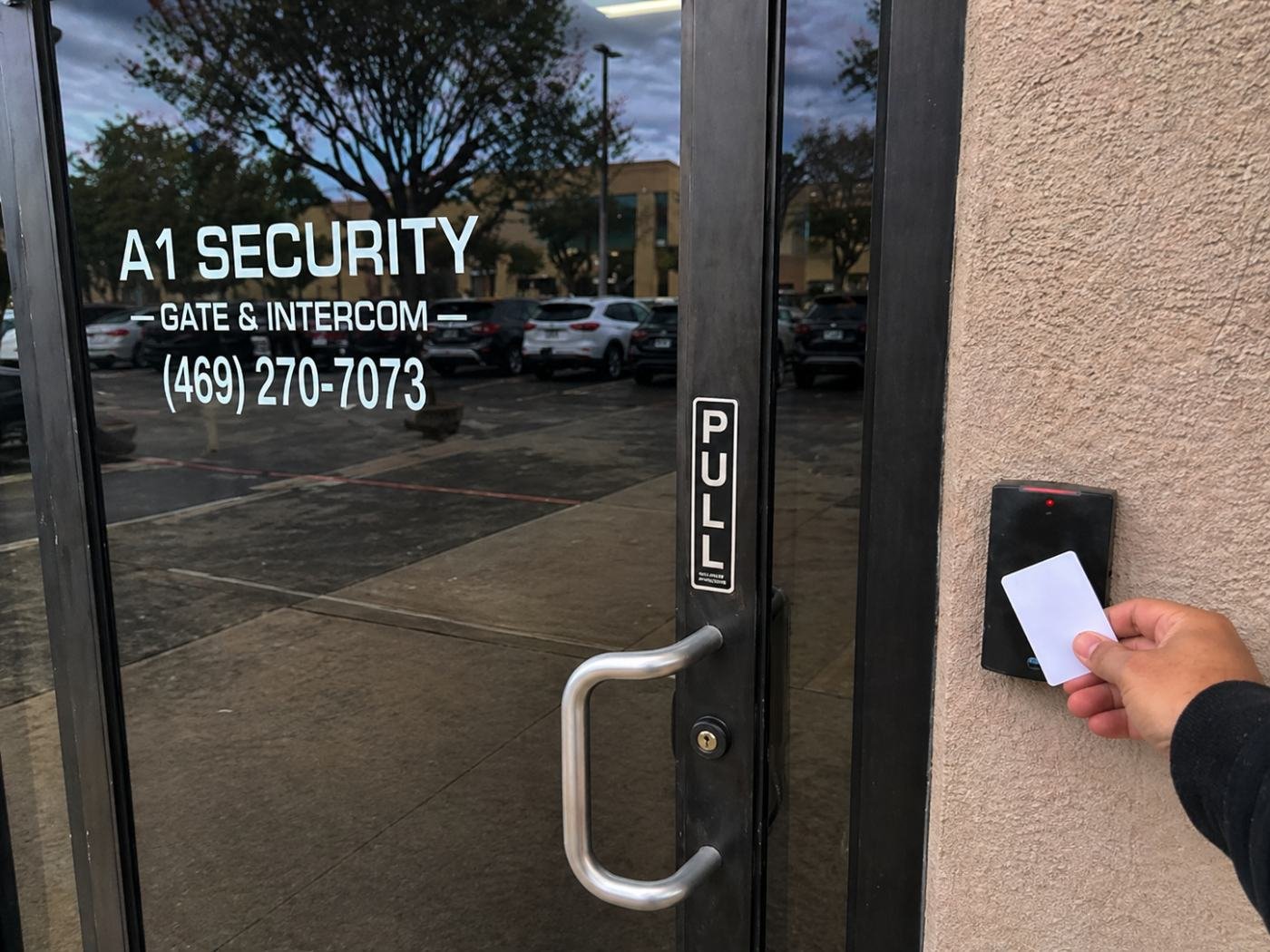
The main door carries the most traffic and the most risk. Most Dallas offices use a card, fob or mobile credential here instead of a shared keypad code, because each credential belongs to one person and can be turned off on its own. Mobile credentials are common in newer buildings: employees open the door with their phone, and management issues or revokes access remotely.
During business hours the main door often unlocks on a schedule, then relocks automatically in the evening. A reader still logs who comes and goes after hours, and the door locks itself again if someone props it open and an alert fires.
Door Hardware That Matches the Door
The reader decides who gets in; the hardware actually holds the door. Glass storefront doors, hollow-metal doors and doors with exit devices each need different electrified hardware. The two most common choices are electric strikes and magnetic locks, and our electric strike vs. magnetic lock comparison explains where each one fits. Doors that already have a panic bar can often take an electrified exit device instead.
| Door type | Common hardware | Notes |
|---|---|---|
| Aluminum storefront glass | Electric strike or magnetic lock | Frame and door style limit the options |
| Hollow metal | Electric strike | Usually the cleanest retrofit |
| Doors with panic bars | Electrified exit device or strike | Keeps free exit with one motion |
| Interior suite doors | Electrified lever lock or strike | Can be wired or wireless |
Visitor Entry
Quick answer: A video intercom or entry station at the main door lets visitors call a tenant or the front desk, who can see them and unlock the door remotely.
Without a visitor entry, guests knock, wait, or slip in behind an employee, which defeats the reader. A video intercom with a directory solves that. In multi-tenant buildings, each tenant can answer on a phone or desk station and buzz in their own visitors. Delivery codes or scheduled delivery windows keep package drivers from needing a permanent credential.
Schedules, Holidays and Lockdown
Good systems run on schedules: doors unlock at 8:00, lock at 6:00, stay locked on holidays, and allow certain groups in at certain times. Cleaning crews get evening-only access. A lockdown command can secure every exterior door at once from a phone or a button at the front desk, which matters for offices that face the public.
Tenant Suites and Shared Buildings
In a multi-tenant building, the landlord usually controls the exterior doors and common areas while each tenant controls their own suite. Modern platforms support this split: one system, separate permissions, and each tenant only sees and manages their own people. Server rooms, records rooms and storage get their own credentials and audit trails.
Cameras at Every Controlled Door
A reader log shows which card opened a door; a camera shows who was actually holding it. Pairing the two lets you pull up video for any door event in seconds. Our guide to combining cameras and access control covers how that works in practice.
Egress, Fire Code and ADA
Quick answer: Every door on an exit path must let people leave without a key, card or special knowledge, and electrified locks on those doors must release as the fire code requires.
This is where poorly planned systems fail inspections. Magnetic locks typically need a request-to-exit sensor and must release when the fire alarm activates. Doors on public routes must stay accessible under ADA requirements. Your city’s fire marshal may also have local rules. In Texas, access control has to be installed by a company licensed under the Texas DPS Private Security Program; A1 holds License #B31188501. Our permits page covers what DFW cities typically ask for.
Planning Checklist
- List every exterior door and decide which need readers and which stay exit-only.
- Decide on credentials: cards, fobs, mobile, or a mix.
- Match hardware to each door type and confirm free egress.
- Plan visitor entry and deliveries.
- Set schedules, holiday rules and who can manage the system.
- Add cameras at controlled doors.
- Plan for growth: more doors, more tenants, more sites.
Getting It Installed in Dallas
We design and install commercial access control in Dallas for offices, medical buildings and multi-tenant properties, and we work across the metroplex from Dallas to Plano and Frisco. Estimates are free, and we walk the building with you before recommending anything. Call 682-516-9940 or use the estimate form below.
Frequently Asked Questions
What is a secure entry system?
A secure entry system controls who can enter a building, gives visitors a controlled way to request entry, and records who came through, while always allowing people to exit freely.
Do office buildings in Dallas need card readers on every door?
No. Most buildings put readers on exterior entrances and sensitive interior rooms, and leave other doors as exit-only or keyed. A site walk shows which doors actually need control.
Can a secure entry system work with our existing doors?
Usually yes. Most commercial doors can take an electric strike, magnetic lock or electrified exit device, though some storefront frames limit the options.
Can tenants manage their own access in a shared building?
Yes. Many platforms let the landlord control common doors while each tenant manages access to its own suite.
What happens to electrified doors during a fire alarm?
Doors on exit routes must allow free exit at all times, and magnetic locks are typically required to release when the fire alarm activates.
Does A1 offer service after installation?
Yes. We service and repair the systems we install as well as existing systems from other installers.