24/7 Emergency Service Licensed & Insured · License B31188501 Financing Available Serving All of Dallas–Fort Worth
Dallas Security Cameras

Security Camera Installation in Dallas, TX

Local, professional camera installation for Dallas homes and businesses. A1 delivers HD and 4K coverage, reliable recording and phone viewing — installed clean and aimed right the first time.

Camera Installers Working Across Dallas

This page covers security camera installation in Dallas, TX, with a focus on business systems: offices in Downtown and Uptown, Design District showrooms, warehouses along I-35E and in southern Dallas, and retail centers with shared parking. We also install cameras for Dallas homeowners and apartment properties. In every case the goal is video that shows who came in, where they went and what they drove.

A business system usually means more cameras, longer cable runs and more people who need to see video than a home system does. We plan the camera count around entrances, registers, loading doors and parking, record to a UniFi Protect recorder on site, and set up phone viewing for owners and managers, including across several Dallas locations if you have them.

Cameras are often one part of a bigger project. The same crew handles commercial access control, intercom installation and gate repair in Dallas, so door events, visitor calls and video all have one service contact.
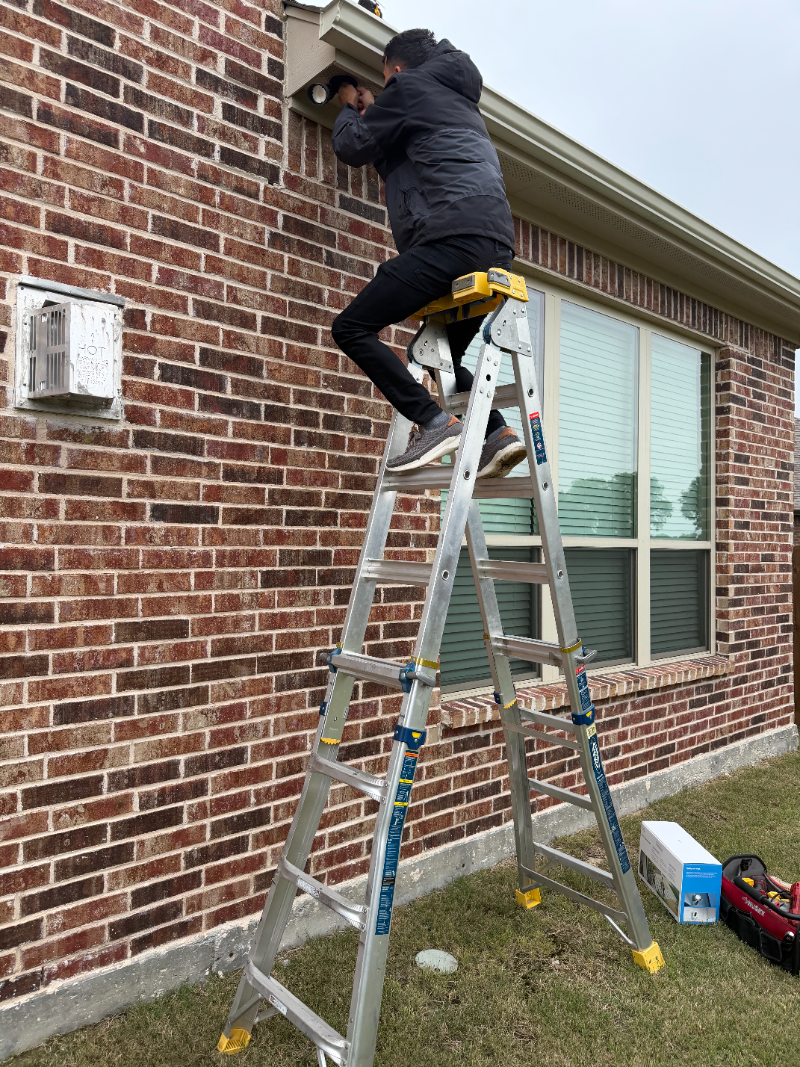
Outdoor security camera being installed on a Dallas commercial building by A1 Security
A turret camera mounted under the eave beside a side gate, covering the walkway into the yard.

Business Camera Systems in Dallas

The layout changes with the type of business, but the questions stay the same: how many cameras, how long to keep video and who gets to watch it.

Offices & Suites

Lobby, suite entry and hallway coverage, planned around the building’s rules.

Retail & Restaurants

Front counter, sales floor, back door and the parking spaces out front.

Warehouses & Yards

Dock doors, trailer parking and fence lines, with plate capture at the gate.

Homes & Apartments

Driveways, front doors, mail areas and pool gates for residents and managers.
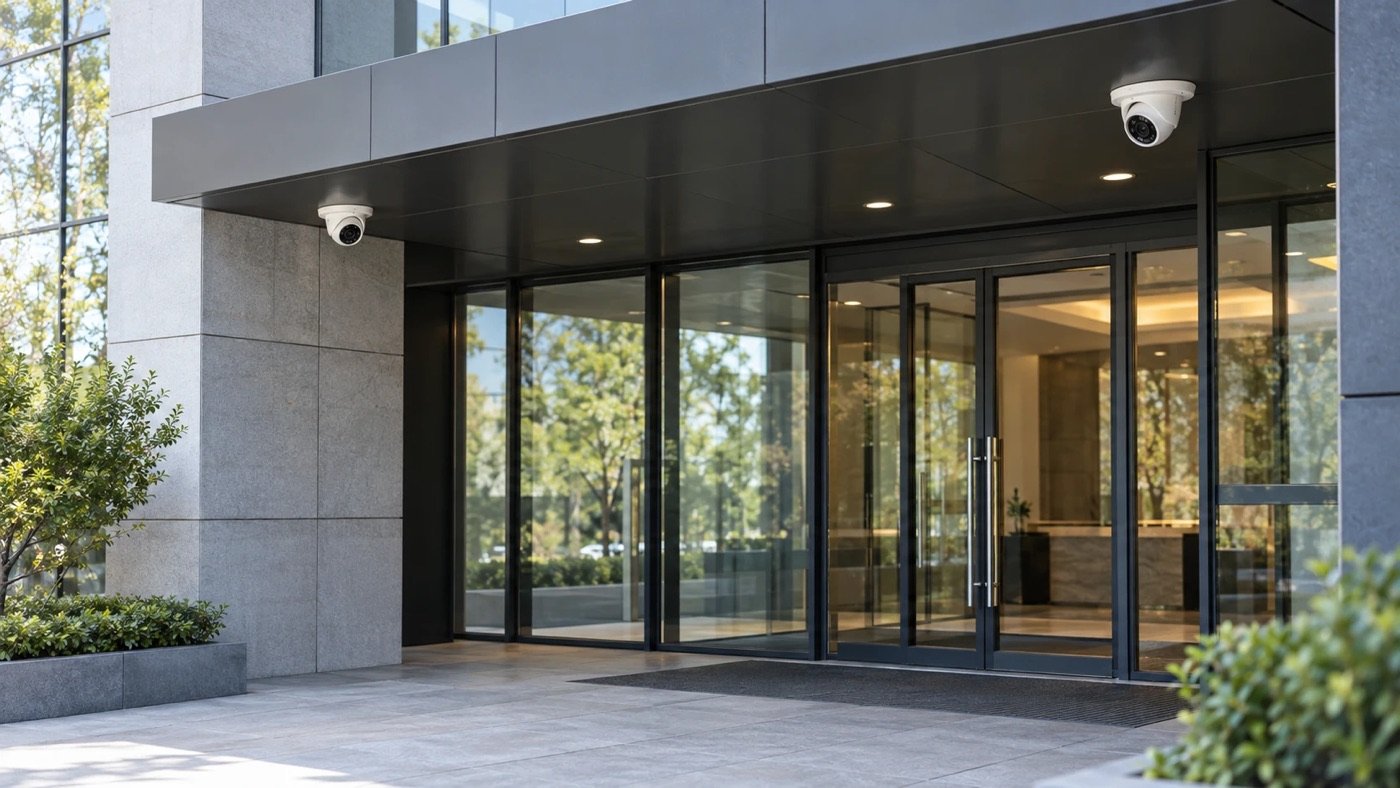
Two dome security cameras mounted under the entrance canopy of a glass office building, an example camera layout for Dallas businesses
Example: two dome cameras under an office entrance canopy, one covering the doors and one covering the walkway.

Problems We Solve

  • A break-in at the back door with nothing useful on video
  • Parking areas that turn into grainy shadows after dark
  • Alleys, side doors and loading areas no camera can see
  • Managers who can’t check a second location without driving there
  • An aging DVR that nobody on staff knows how to search
  • Wi-Fi cameras that keep dropping off a busy business network

What We Install in Dallas

Equipment picked for business use and long hours of Texas sun.

4K & HD Cameras

Enough detail for faces at the door and plates at the gate.

Weatherproof Outdoor

Housings rated for heat, rain and afternoon glare.

NVR Recording

Video stays on a recorder at your site, sized for the days you keep.

Mobile Viewing

Owners and managers check live or saved video from their phones.

Why Choose A1 Security Gate & Intercom

  • A Dallas-area crew that installs and services its own systems
  • Cable hidden or run in conduit wherever the building allows
  • Camera count based on what each view must capture
  • Separate app accounts for owners, managers and staff
  • Video, door access and gates handled by the same team
  • Free written estimate in Dallas, with Sunbit financing

Our Process

Here is how a Dallas camera job usually runs, from the walkthrough to handing you the app.

1

Free Estimate

We walk the site with you and note what each view must show.

2

Design & Quote

You get camera models, counts and recorder size in writing.

3

Installation

We run cable, mount and aim the cameras, and set up the recorder.

4

Handoff

We create app accounts and show you how to find and export clips.

For Dallas Sites

Camera Setups for Dallas Businesses

A storefront, an office suite and a warehouse yard each call for a different mix. These are the setups we suggest most often for Dallas properties, adjusted for lighting, cable access and the detail you need.

HD Surveillance

HD Dome & Bullet Cameras

Everyday fixed cameras for doors, hallways, sales floors and parking rows.

Best For: Dallas offices and shops that want steady coverage where customers and staff pass.

Why We Recommend It: They are easy to aim and give clear recordings for daily review.

Quoted after a Dallas site visit

Request a Quote
4K Surveillance

4K High-Resolution Cameras

Sharper cameras for spots where you may need to identify someone later.

Best For: Registers, lot entrances, gates and wide warehouse yards.

Why We Recommend It: Extra resolution keeps faces and vehicles readable when you zoom into a clip.

Quoted after a Dallas site visit

Request a Quote
Remote Viewing

NVR with Remote Viewing

An on-site recorder that keeps every camera’s video and serves it to the app.

Best For: Owners and managers who check one or several Dallas locations from their phones.

Why We Recommend It: Footage stays on your premises, and you choose who can see it.

Quoted after a Dallas site visit

Request a Quote

Dallas estimates are itemized: camera models, recorder, cabling and labor each appear on their own line.

Dallas Camera Hardware

Hardware Behind a Dallas Camera System

The UniFi Protect models we install most on Dallas business jobs. Final choices follow the site visit.

G5 Bullet Camera

A weather-ready bullet camera for building entrances, alleys and parking rows.

  • 2K HD
  • Night Vision
  • Weatherproof
  • AI Detection

Priced once we see the building

Request Installed Quote

G5 Pro Dome Camera

An optical-zoom dome for lobbies, yards and lots where you need detail at a distance.

  • 4K Capable
  • Optical Zoom
  • Night Vision
  • AI Detection

Priced once we see the building

Request Installed Quote

Network Video Recorder

Stores video from every camera at your site and lets managers watch from the app.

  • Multi-Camera
  • Remote Viewing
  • Secure Storage
  • RAID Ready

Priced once we see the building

Request Installed Quote

Final models are chosen after we see the building. Written estimates for new Dallas installations are free; the installed price depends on cable distance, mounting height and building access.

Explore More

Related Services

Local Coverage

Beyond Dallas

We also install security cameras across these DFW communities.

View All Service Areas
Answers

Frequently Asked Questions

Questions Dallas business owners and residents ask about camera systems.

What should a Dallas business camera system cover first?
Start with the places where trouble begins or ends: every entrance, the front counter or register, back and service doors, and the parking area. Interior hallways, stockrooms and offices come next. On the walkthrough we rank these with you, so the first cameras go where they matter most.
What goes into the price of a camera system for a Dallas business?
Camera equipment starts at $120 per camera. Installation, wiring, recording equipment and configuration are quoted separately. For a business, the labor side depends on ceiling type, cable distance to the network closet, mounting height and any building rules on when work can happen. Your free written estimate lists each item so you can compare it line by line. Installations are backed by a 1-year workmanship warranty. Equipment coverage is subject to the applicable manufacturer's terms, where available.
Can you install cameras inside a leased office suite in Dallas?
Yes. Building management usually sets rules on where cable can run, which closets we can use and when work can be done, so we confirm those before scheduling. The recorder can sit in your suite or IT closet, and the system is yours to manage.
Can each Dallas store manager see only their own location's cameras?
Yes. With UniFi Protect we set up separate accounts, so an owner can view every location while each manager sees the cameras at the site they run. Access can be changed or removed in the app at any time.
How do I pull a video clip for a Dallas police report?
In the app you find the time on the timeline, mark the start and end, and export the clip to your phone or computer. You can then share it with the officer handling your report. We show you how during the handoff, so you are not learning it the morning after a break-in.
How do you cover the back door and alley behind a Dallas storefront?
We usually mount one camera above or beside the rear door aimed down the alley, plus a second view framed tightly enough to identify anyone at the door. Lighting matters back there, so we check the picture at night and may suggest a model with stronger night vision or added light.
What camera coverage do you offer Dallas homeowners and apartment managers?
Yes. For homes we cover front doors, driveways, side gates and back yards, with phone viewing for the family. For apartment properties we cover gates, leasing offices, mail areas, pools and parking. Both use the same kind of recorder and app as our business systems.

Secure Your Dallas Property

Get a free on-site camera estimate from your local Dallas installers at A1 Security.

Call Now