Verified Google Reviews
A1 Security Gate & Intercom
Every review comes from a real customer on our Google Business Profile. Tap below to read them all.
Serving Dallas–Fort Worth, TX
Read Our Google Reviews
Wired cameras for the front door, driveway, side gates and backyard, placed where they actually see faces and cars, recorded on a system inside your home and watched from your phone.
Most homeowners start with a box of battery cameras from a store. They work until the battery dies, the Wi-Fi fades at the back fence, or the camera on the porch shows a blur instead of a face. A1 Security Gate & Intercom installs wired home security cameras across Dallas–Fort Worth: each camera gets one network cable that carries both power and video, so there are no batteries to charge and no Wi-Fi to drop.
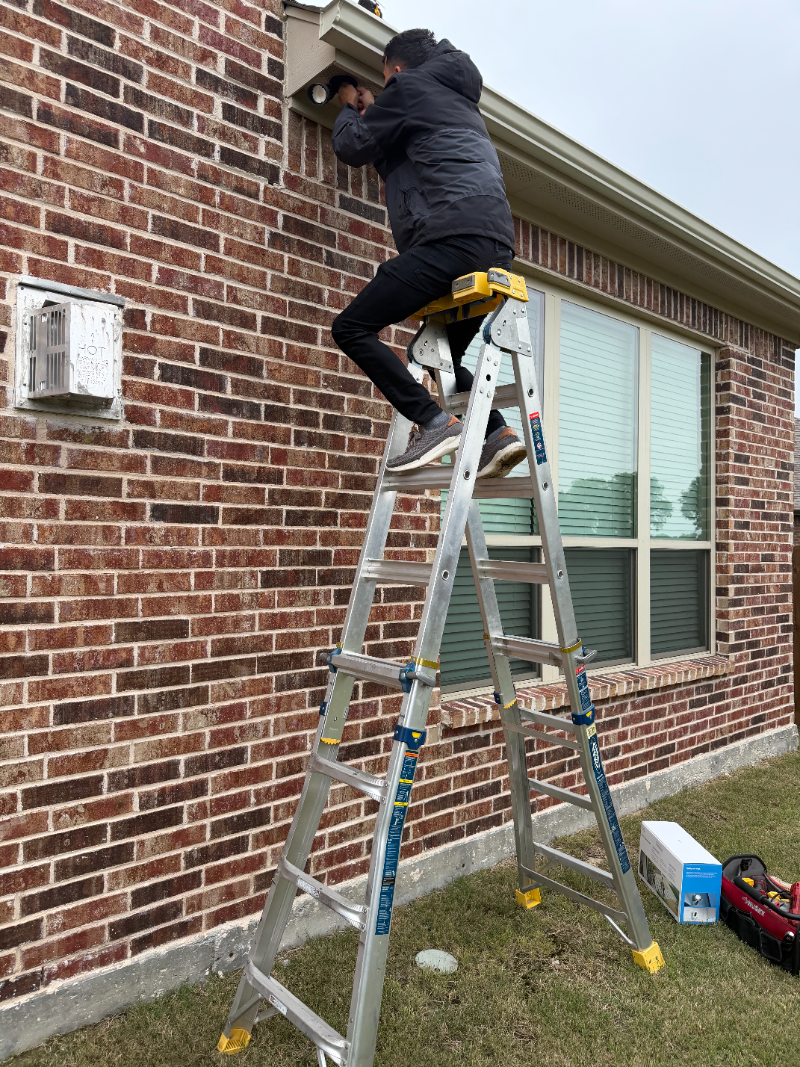
We plan the cameras around how people actually reach your house, mount them where they can see what matters, run the cable neatly through the attic and walls, and set up the app on your phone before we leave.
A good home system starts with the places people come and go. We usually plan coverage in this order:
Mounting matters as much as the camera. Under the eave, a camera stays out of direct rain and the worst of the afternoon sun, which helps both the picture and the hardware last through Texas summers.
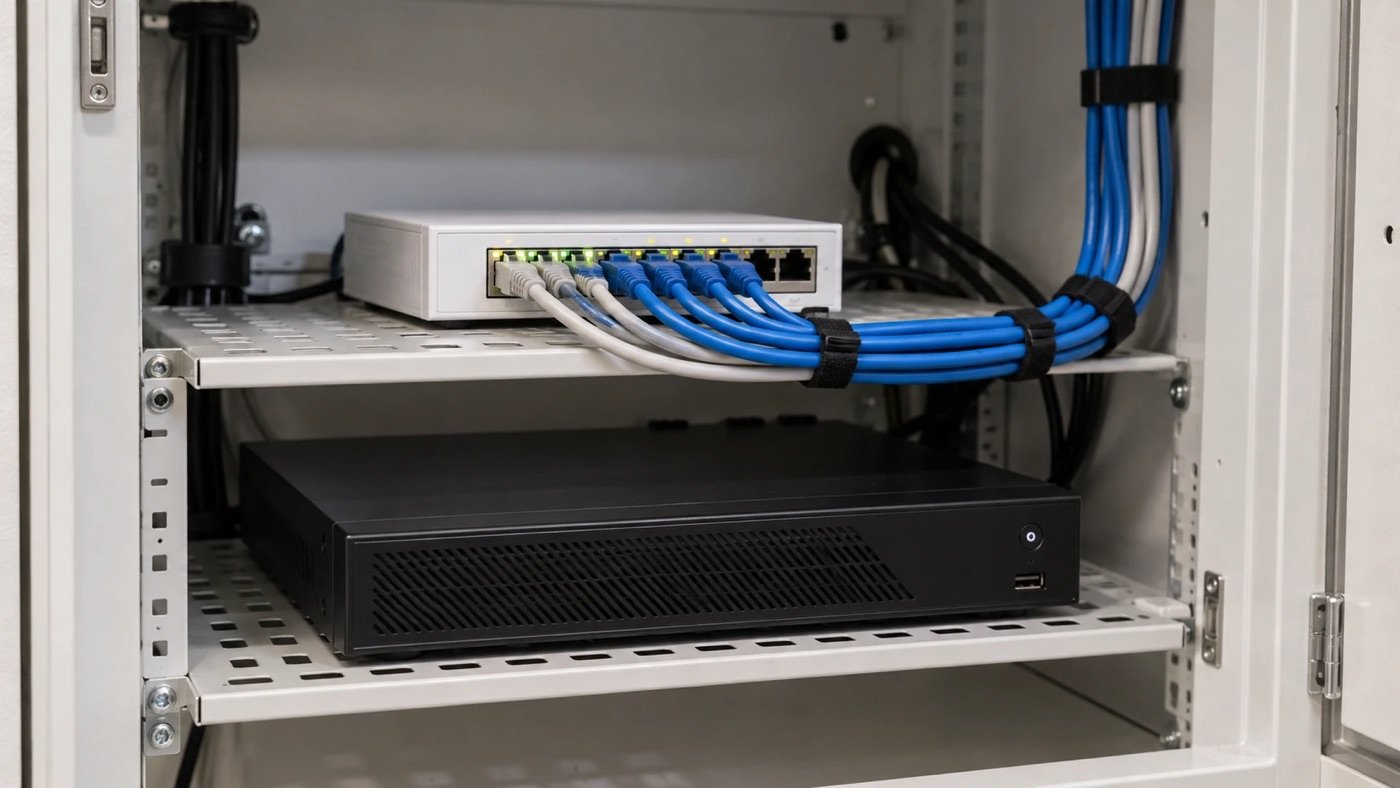
Video is saved on a device you own, tucked in a closet or home office, not on someone else’s servers. The app on your phone shows live video, recordings and motion alerts, with no subscription per camera for any of it. Because recording happens in the house, an internet outage only stops remote viewing; the cameras keep saving video the whole time.
Each person in the family can have their own login, and you decide who sees which cameras. For a system that also runs door access and Wi-Fi, see UniFi installation.
We aim cameras at your own property and can black out parts of the picture, such as a neighbor’s window or backyard, with privacy zones in the app.
Homeowners in an HOA have state law on their side. Texas Property Code §202.023 bars an association from blocking security cameras, motion detectors or a perimeter fence on the owner’s lot, while still letting it forbid cameras mounted off the owner’s property (SB 711, 2025). The section doesn’t apply to condominiums. This isn’t legal advice; if your HOA requires an architectural request, we can give you the camera locations and mounting details for it.
Existing homes: most DFW houses were never wired for cameras. We run cable through the attic and down inside walls where we can, use outdoor-rated cable and weatherproof connections outside, and mount on brick, stone, stucco or siding with the right anchors.
Building a new home? Wiring for cameras before the drywall goes up costs less and looks cleaner. See our new home pre-wire service.
Cameras work best alongside the rest of the house: a video doorbell and smart lock at the front door, an automatic driveway gate with a keypad, or a monitored alarm system. We install all of them, so one team plans the whole setup.
Every new home camera system gets a free written estimate. What moves the price: the number of cameras, the length and difficulty of each cable path through the attic and walls, and how much video storage you want. If an existing system needs work, see security camera repair; service calls start at $180 per hour. Our Texas DPS license number is B31188501, we carry insurance, and financing is available.
We install home camera systems for homeowners throughout Dallas–Fort Worth.
Read verified Google reviews from DFW customers, then see how we plan cameras for your home.
Every review comes from a real customer on our Google Business Profile. Tap below to read them all.
Planning home cameras? Learn about wired vs. wireless cameras, what security cameras cost in Dallas or keeping cameras working.
Featured InOur owner, Meir Feldbaum, wrote Adding Access Control to Existing Commercial Doors and Keeping It Working for Locks and Security News.
Common questions about home security cameras in Dallas–Fort Worth.
Get a free written estimate for a wired home camera system from a licensed DFW team.